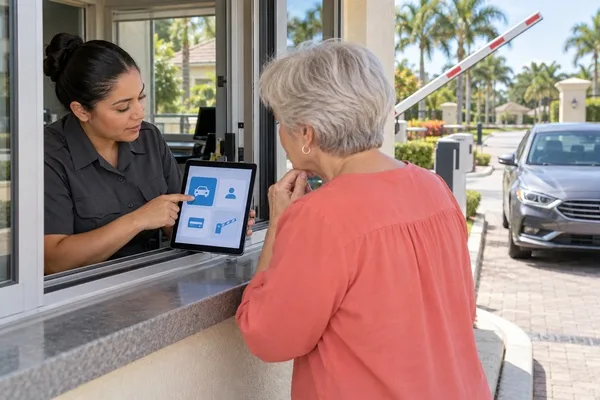
To evaluate a guard gate app during a live demo, stop watching the slides and start testing the everyday moments: logging a visitor, handling a dropped connection, letting residents pre-authorize guests, and pulling a report for the board. How the app handles those tasks tells you far more than any presentation.
Go in with a plan and you will leave with real answers. If you have questions before your next demo, reach out to our team or call (561) 503-4500.
How fast can a guard log a visitor?
Ask the vendor to log a visitor from start to finish while you watch, without skipping steps. Count the taps and the seconds. At a busy gate, every extra screen means a longer line of cars.
Then make it harder. Ask them to log a visitor who is not on any list, a delivery driver, and a contractor with a crew. Watch how quickly the guard can find the resident, confirm the visit, and record it.
During one live demo, a board member raised his hand and asked, "What about something a little trickier, like a guest whose name is spelled wrong?" It was a great question. Working through that common problem together gave the board real insight into how the system works.
Bring your own tricky cases to every demo. Our features page is a good place to start building that list before you sit down with any vendor.
What happens when the connection drops?
Ask the vendor directly what the guard sees and does if the internet goes down mid-shift. A gate cannot simply stop letting residents in while the network recovers.
Good answers cover three things: how the guard keeps working, how entries are recorded during the outage, and how those records sync once the connection returns. Vague answers here are a red flag.
If possible, ask to see it, not just hear about it. A vendor confident in their system should be willing to show what the screen looks like in that situation, even if it takes a few extra minutes.
This matters most for communities with remote gatehouses or spotty cell coverage. Storms, power flickers, and router problems happen, and the app has to keep the gate running through them. Ask how often outages have happened at other communities using the system and how guards handled them.
How do residents pre-authorize guests, and how is reporting pulled?
Ask to see the resident side of the app, not just the guard screen. Adding a guest should take a resident less than a minute, or residents will keep calling the gatehouse instead.
Watch how permanent guests, one-time visitors, and recurring service providers are added. The easier this is for residents, the fewer calls and surprises guards face at the gate.
Then ask the vendor to pull a report the board would actually request, such as all entries for a specific date or every visit to one address. If that takes several steps or an export to a spreadsheet, expect frustration later at every board meeting.
- Log a visitor who is not on any list.
- Fix a misspelled guest name.
- Show what happens during an internet outage.
- Add a guest from the resident side.
- Pull a report for one address and one date.
How do you tell a polished demo from an app guards will use?
A polished demo is run by someone who uses the software every day. Guards are not. Ask whether a guard, or a board member, can try the app themselves during the demo, with no coaching.
Pay attention to how simple the screens are. Guards work long shifts, often with cars waiting, so the app needs clear buttons and few steps. If the presenter has to explain a screen twice, a new guard will struggle with it, especially on a busy weekend night.
Ask for a hands-on demo rather than a slideshow, and request references from communities whose guards have used the app for a while. You can also read why communities choose us.
Ready to put a guard gate app to the test? Call Entrance IQ at (561) 503-4500, or connect with our team to schedule a hands-on demo.